
Built for people who actually use bookmarks
Make 1,000 bookmarks
useful again.
Saving a bookmark takes one second. Finding it can take ten minutes. SmartAINewTab turns Chrome's new tab into a bookmark workspace: find it, organize it, and keep it healthy.
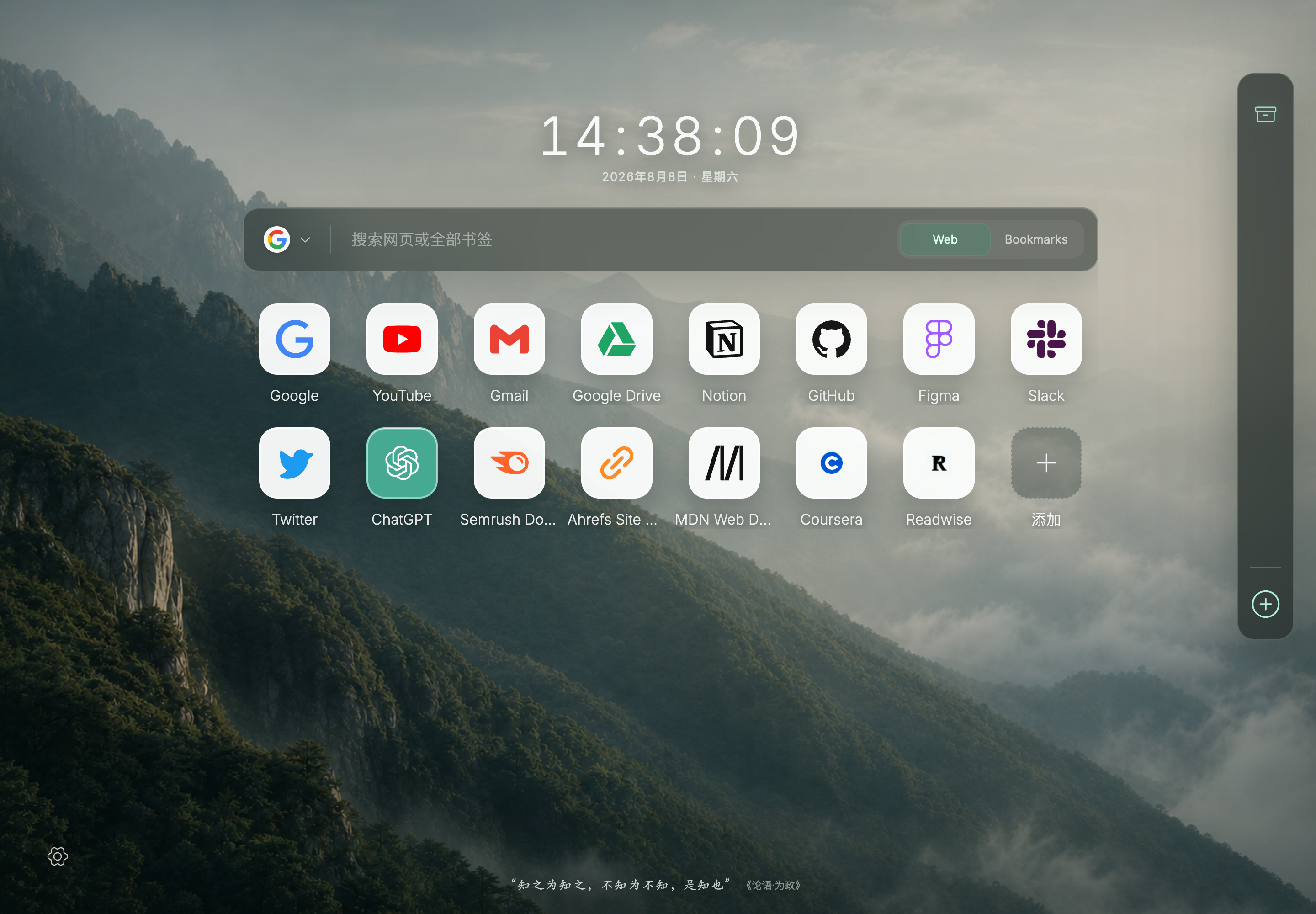
One search box
Search the web and your own memory
From saving bookmarks to using them
Find it now.
Keep it useful.
SmartAINewTab helps you find, organize, and maintain hundreds or thousands of bookmarks. All three jobs share the same reversible workflow, so every step stays clear and under your control.
Use the models you already trust
Bring your own Key · Stored locally · Switch anytime
 OpenAI
 Anthropic
 Gemini
 DeepSeek
 Kimi
Kimi Zhipu GLM
 Alibaba Model Studio
 Doubao
 MiniMax
 OpenRouter
Your API Key is stored only in this browser and excluded from exports and cloud sync. Requests go directly to your chosen model provider.
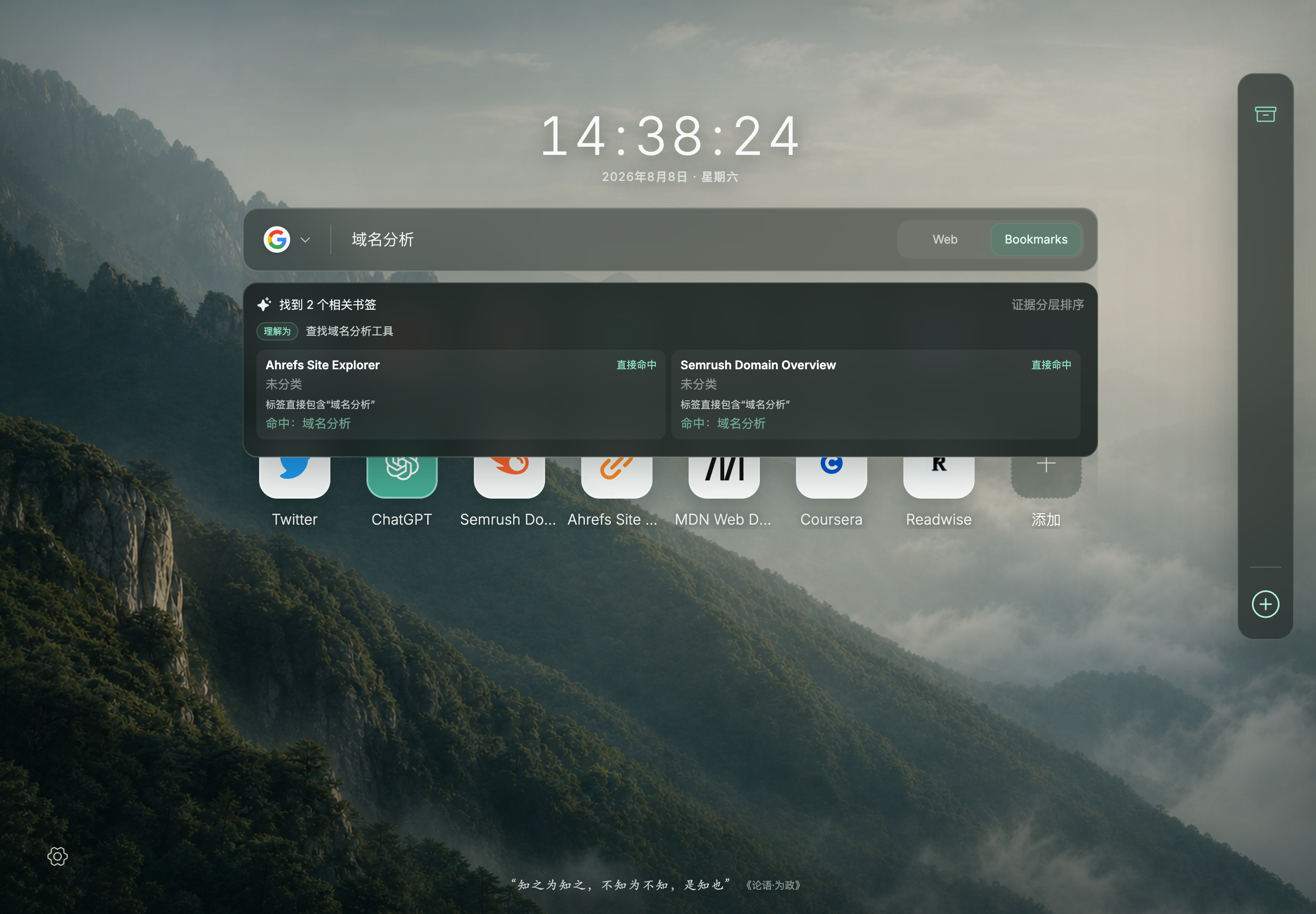
Search works without AI. Your configured model is called only when you choose an AI-assisted action.
Search
Describe what you remember.
It will find it.
Only remember ‘that Japanese blog about organizing’? Search just like that. The model expands equivalent terms and related topics, while the extension verifies every match, reason, and ranking locally against your actual bookmark fields.
- ✓ Separates exact, equivalent, and related results
- ✓ Low confidence means suggestions, never an automatic open
- ✓ Local search remains available without an API Key
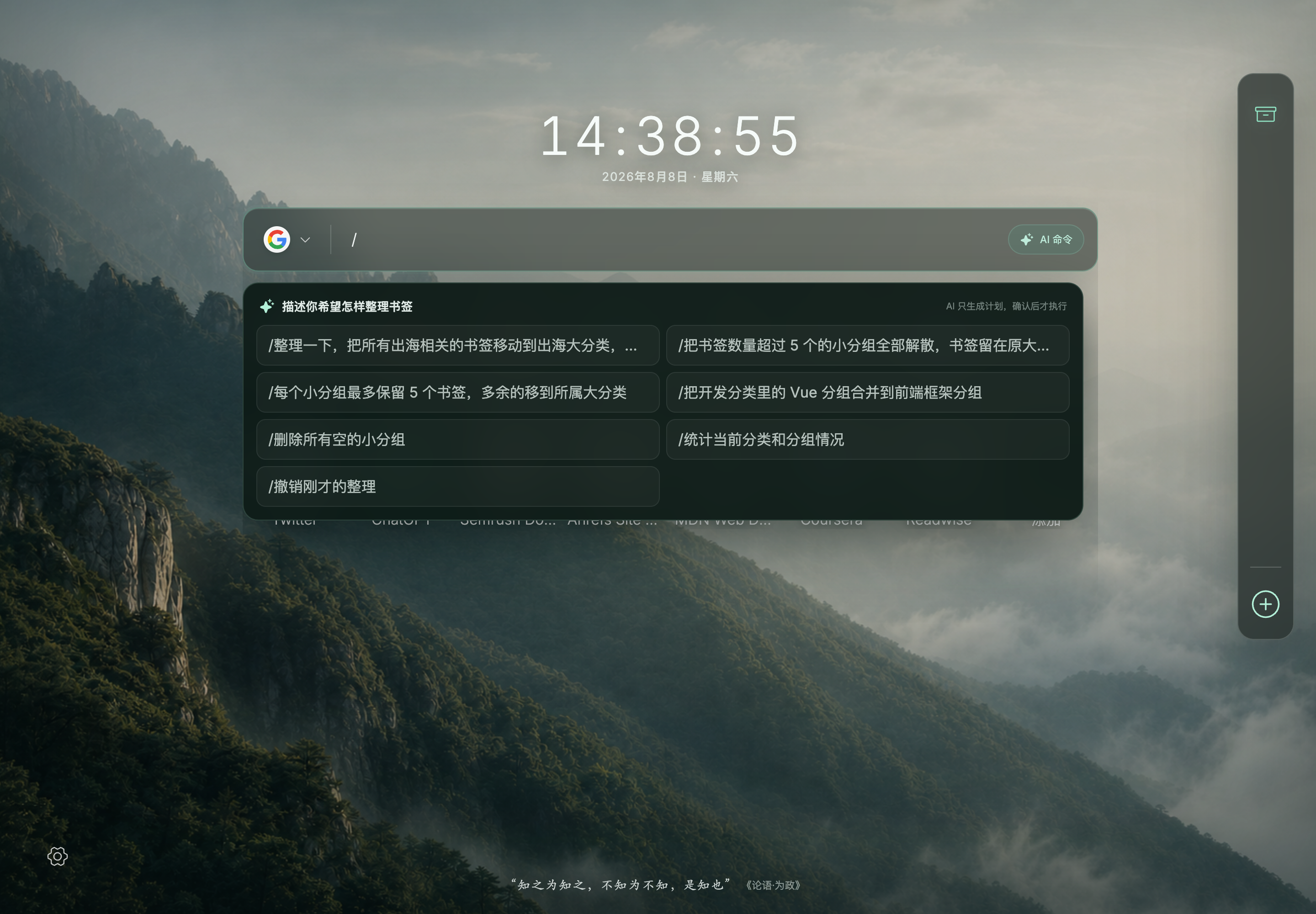
Natural-language commands
Say what you want.
Then review the plan.
Type ‘ungroup small groups with more than five items.’ SmartAINewTab first lists every proposed change. Nothing moves until you confirm, and one click can undo it.
- ✓ Shows the complete change preview first
- ✓ Supports undo and redo
- ✓ Commands can organize the layout, not delete bookmarks
AI organization
AI helps organize.
You stay in control.
Categories, tags, and groups are suggestions you can edit, drag, or undo. SmartAINewTab backs up the original layout before the first organization run, and resumes interrupted jobs the next time Chrome opens.
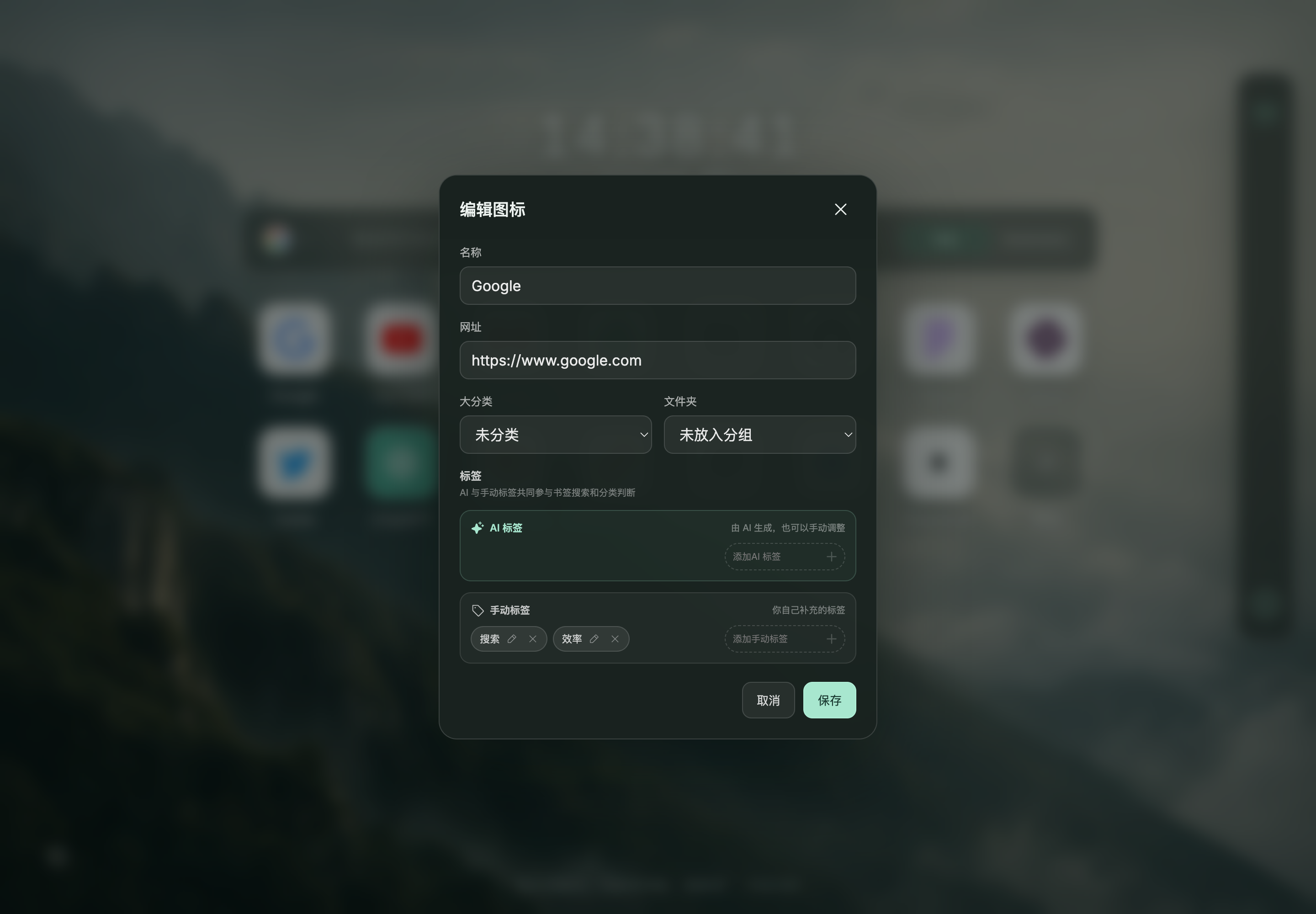
CONTROL LAYER / 04
Visible and editable
AI tags and manual tags remain distinct. Suggestions stay suggestions; the final structure always belongs to you.
Bookmark health
Give your bookmarks
a health check.
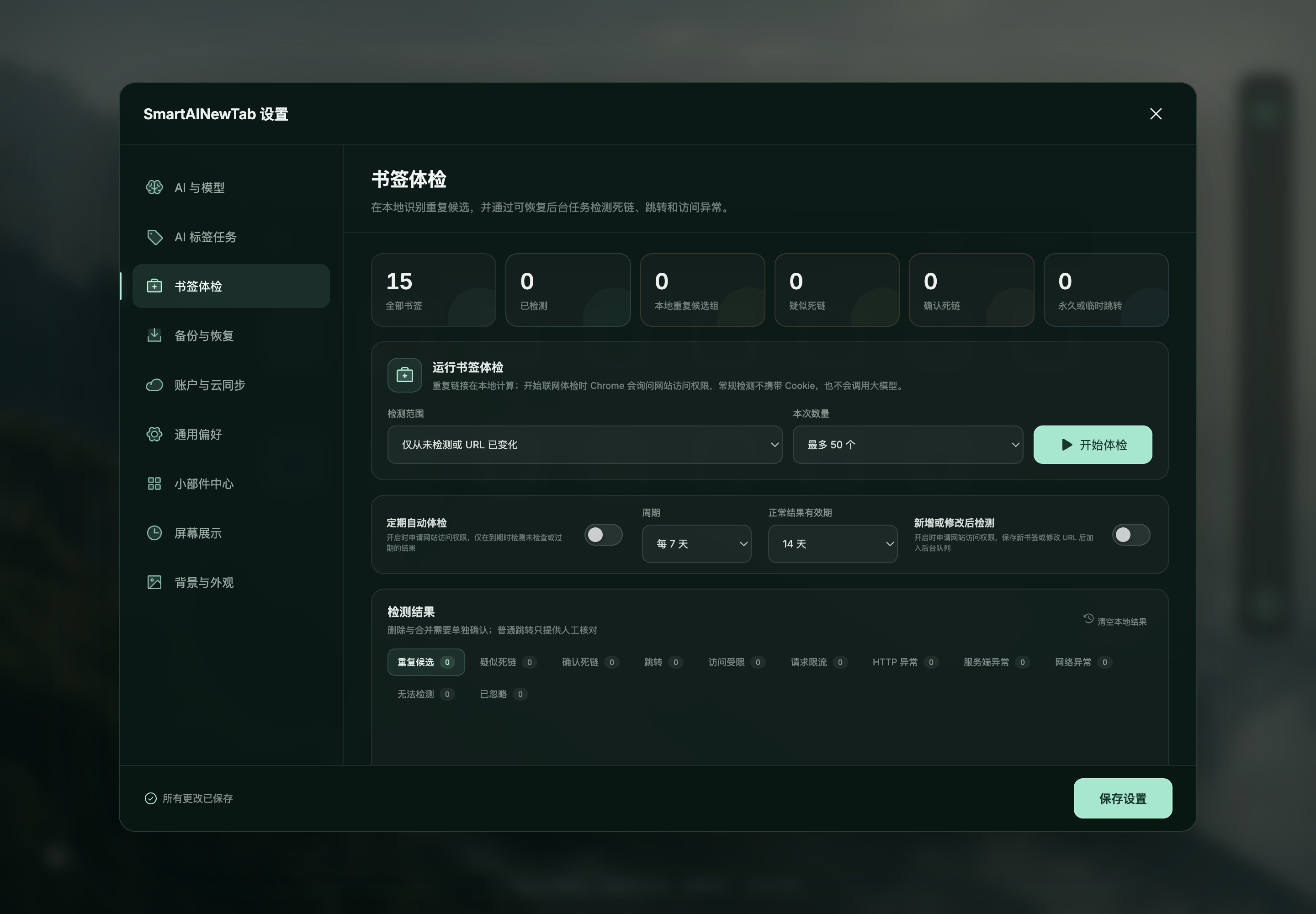
Find dead links, duplicate saves, and URLs that silently moved. Every bulk repair shows a preview, and deletions create a recovery snapshot first.
- ✓ Rechecks failed links the next day to reduce false positives
- ✓ Recognizes login redirects and domain migrations
- ✓ Creates a snapshot before deletion for one-click recovery
Privacy is a boundary, not a feature
Your bookmarks should never become our data business.
SmartAINewTab reads and organizes Chrome bookmarks locally by default. Network access follows an explicit action. It does not collect page bodies, bundle a shared API Key, or upload plaintext bookmarks to the cloud.
Read the full privacy policy →Chrome bookmarks remain the source of truth
Layout and order live in extension storage without changing Chrome's native folder structure.
BYOK: you choose the model
Ten provider presets are built in. Your API Key stays out of exports and cloud backups.
The cloud only receives ciphertext
Optional backups are encrypted in the browser before upload, so the server cannot read them.
No page bodies or private networks
Only titles and descriptions are read for bookmark metadata; intranet addresses are skipped.
No advertising or analytics SDKs
Your browsing and saving habits are never turned into an advertising profile.
Personalization
You open it all day.
It should look good.
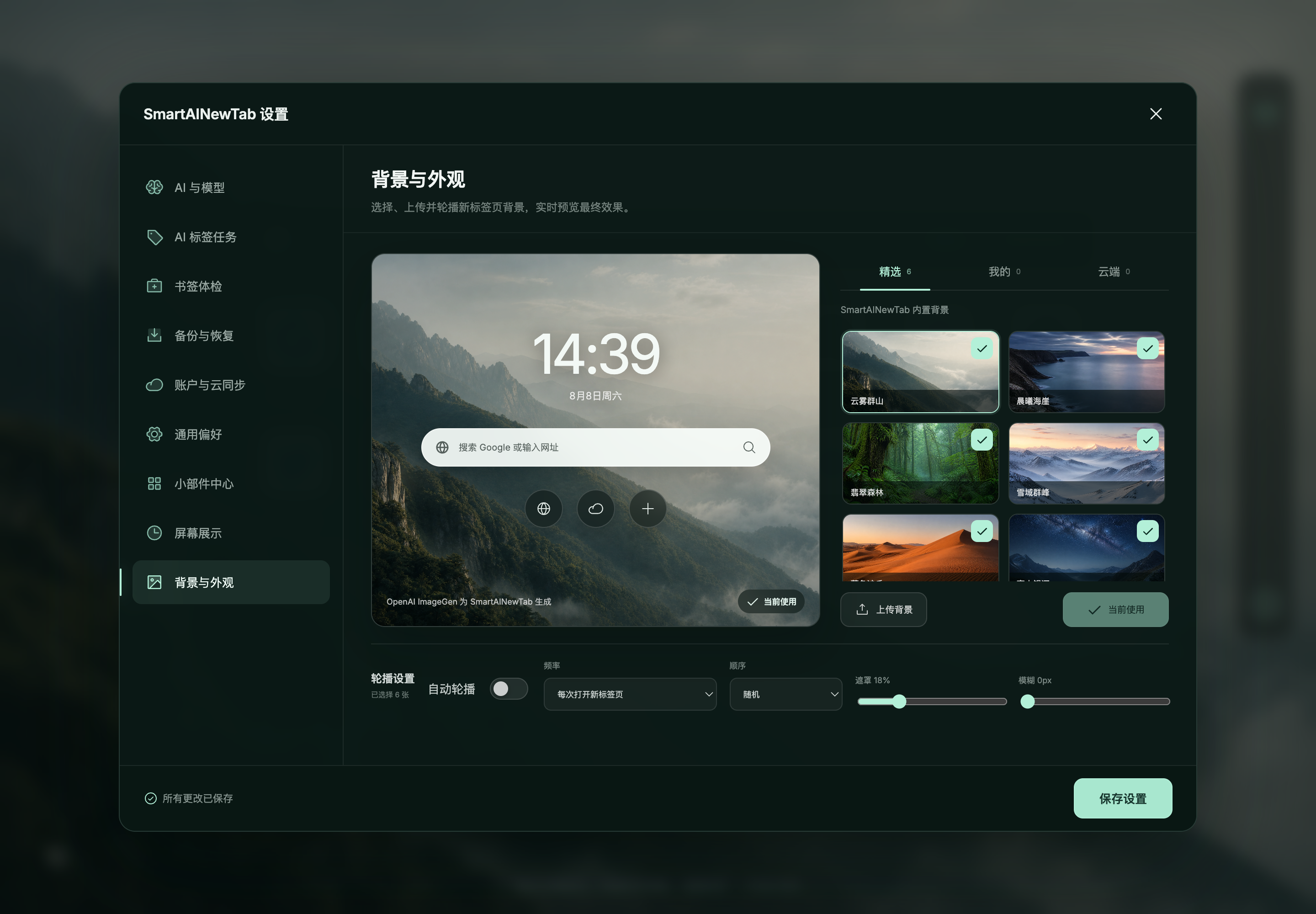
Choose a background, a clock you enjoy, and widgets for weather, exchange rates, or trending searches. A new tab can be useful and still feel calm.
Preparing the public beta.
The website is ready. Until Chrome Web Store publishing, Google sign-in, and cloud restore pass complete acceptance testing, we will not pretend everything is ready with an ‘Install now’ button.
FAQ
The important questions, answered first.
Will it move or delete my native Chrome bookmarks?+
No. Categories, groups, and home-page ordering live in the extension's own storage. Updating a URL or deleting a bookmark always requires explicit confirmation.
Can I use it without AI?+
Yes. The home page, drag-and-drop organization, web search, local bookmark search, backgrounds, widgets, and import/export do not require an API Key.
Do new bookmarks need manual organization?+
No. Enable automatic tagging for new bookmarks and each new save receives tags and joins an existing category automatically.
What if I close Chrome during organization?+
Nothing is lost. Jobs are stored in the local database and resume from the last completed step when Chrome opens again.
Is my API Key uploaded?+
It is excluded from source code, exports, and cloud sync. It stays in local extension storage; use a separate, limited, revocable Key.
Is cloud sync available now?+
Browser-side encryption and cloud backup are still in end-to-end acceptance testing for the public beta. Availability will roll out in stages and the extension will show the authoritative status.